L2JMobius

High Five can not resolve hostname

Zatox · 6 · 2286

Offline Zatox

  • Vassal
  • *
    • Posts: 4
Hello folks,

as the title suggests I have a problem getting onto my own server.
At the moment I have a gaming laptop with Win 11, as I don't have a real server yet.

I also followed the instructions for installing a server exactly (https://l2jmobius.org/forum/index.php?topic=3231.0)
Fortunately, thanks to the instructions on Youtube from zissupa, it worked the second time.
And the instructions for connecting (https://l2jmobius.org/forum/index.php?topic=11319)


But my main gaming pc says ‘can not resolve hostname’ on the login screen. Did I set something wrong on the laptop?
I can play on the laptop itself. I do it all via WLAN.
I have already changed the settings:

- Login /- Game server running and XAMPP
- L2.ini
- Firewall all deactivated (security risks are known to me)
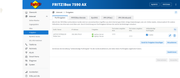
- Port forwarding opened / port sharing set on the Fritzbox
- Host file on both gaming laptop and PC changed to default.

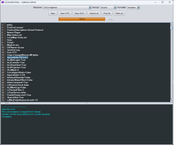
I will add pictures here (I hope this works):
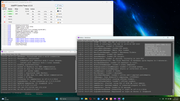


Now that I've read through everything again myself, I'm not sure whether I've assigned a static IP to the laptop's WLAN.
And if I don't need different TCP for login and game server. Hmmm.
Before I change anything, I'd better ask you if this is necessary.


I hope you can understand what my problem is as I am using a translator.
And thank you very much for your help. After 2 days of trying myself I have to give up :D


Last but not least, thanks to Mobius for making it so easy to create your own server. And also to test, play around what you can do in the game even as an admin. I mainly only play on other servers.


Offline l2day

  • Knight
  • ***
    • Posts: 57

Offline Zatox

  • Vassal
  • *
    • Posts: 4
I have tried several times. But so far the same error message.

Is there any other idea or another IP I could use?
Local IP 127.0.0.1 and 192.168..... Does not work.
I have already restarted my pc, login/game server and XAMPP.


Has anyone ever had a similar error message in the forum?
I haven't found anything by searching.

Maybe no IP from WLAN and only LAN works?


Offline Zatox

  • Vassal
  • *
    • Posts: 4
Ok now ‘can not resolve hostname’ is gone.

I simply took the system folder from the laptop server and transferred it to my gaming pc.
I still can't log in. BUT this small success helps me not to give up. And maybe it will help others too :)


Online Naker

  • Count
  • *****
    • Posts: 450
  • Coding Dreams
If you want to play on Lan you need to use the internal IP of the server as IP
Example 192.168.1.xxx


Offline Zatox

  • Vassal
  • *
    • Posts: 4
I think WLAN is enough for me :)

But another question since L2.ini does not bring any change, it must either be the router (port sharing) or I have made a mistake in the network configuration.

Would someone like to briefly explain the steps in Network configuration ? (https://l2jmobius.org/forum/index.php?topic=11319)

I also understand this section ‘TCP 7777 for the game server and TCP 2106 for the login server.’ to mean that I should give game server TCP 7777 and login server TCP 2106.
I have read elsewhere in the forum that I should not change this.

Maybe someone can explain this to me step by step. Also PM so that the forum is not unnecessarily burdened.